Lesson 1 - Writing clearly - rules
Keep Sentences Short and Direct
Use Familiar, Everyday Words
Avoid Double Negatives and Ambiguity
Use Active Voice Whenever Possible
Define Technical Terms When Needed
Structure ideas logically (one idea per sentence)
Think from the reader’s side
Use helpful examples and analogies
Quick-fix checklist for revising your text
Writing activity: simplify a paragraph
Lesson 2 - Making documents easier to navigate (from a visual point of view)
Use clear and meaningful headings
Break up content with bullet points and spacing
Choose readable fonts and sizes
Use visuals (icons, diagrams) to aid comprehension
Make documents screen-reader-friendly
Contrast, layout, and visual accessibility
Avoid clutter: less is more
Accessible design for mobile and web
Multilingual plain language strategies
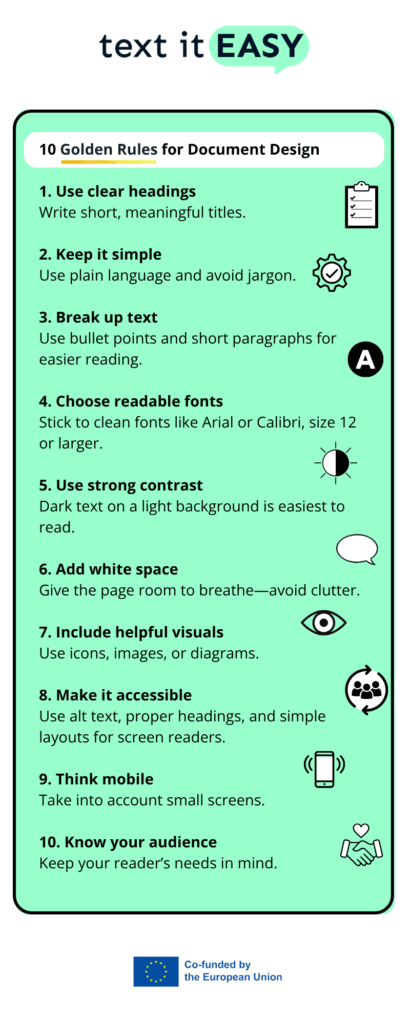
10 golden rules for document design
Lesson 3 - Adapting existing content (from a technical point of view)
Adapting Content: How to Spot Confusing Material
Step-by-step: Rewriting in Plain Language
Using Reference Checklists and Guidelines
Testing Materials with Real Users
Working Collaboratively – Writers and Designers
Using AI to support rewriting and simplification and to identify difficulties
Base text: an overly complex email about safety rules
Adapting for a training session, a tourist leaflet, and a workplace guide
Compare and reflect: what changes for each context and why?
Interactive practice: adapt a real-world example
Close
Open
10 golden rules for document design
To summarise the content of this lesson, we prepared an infographic with the most important points: